
Creating a robust and well-structured dataset is one of the most critical steps in training an effective machine learning model. With the AML Dashboard, users can seamlessly manage datasets for training AML models. This article provides a step-by-step guide to creating and using custom datasets with the AML Dashboard, focusing on their preparation and integration.
Background
The AML Dashboard is a web-based tool designed for interacting with the AML framework. This tutorial specifically focuses on the data collection step in the AML model training process, demonstrating how to create and load a custom dataset.
Prerequisites
Ensure you have installed the AML Dashboard using one of the following methods:
For more information, check the AML Dashboard Interfaces and AML Dashboard Usage sections.
Running the Demo
To collect data using the AML Dashboard, follow these steps to launch the required components.
Step 1: Start the Backend Server
- Navigate to the backend directory:

- Load the AML-IP environment:

- Start the server:

Step 2: Start the AML Dashboard
- Navigate to the AML Dashboard frontend directory:

- Start the Dashboard:

- Access the dashboard at http://localhost:5173/.
Collecting Data
The AML Dashboard provides various options for dataset creation:
- Webcam-based collection
- Standard datasets
- Custom datasets
While the first two options cater to quick setups, the custom dataset feature offers unparalleled flexibility and adaptability.
Creating a Custom Dataset
Steps to Load a Custom Dataset
- Navigate to the Data Management Tab: Open the AML Dashboard and switch to the "Data Management" section.
- Select ‘Custom’: From the drop-down menu in the "Choose the model for the training set" section, select the option for "Custom."
- Load the Dataset: Click the "Load dataset" button. A popup will appear, prompting you to upload your dataset from the local system.
Format Requirement for Custom Datasets
The uploaded dataset must be in JSON format with a specific structure. Here's how you can prepare your dataset:
Code Example for Dataset Preparation
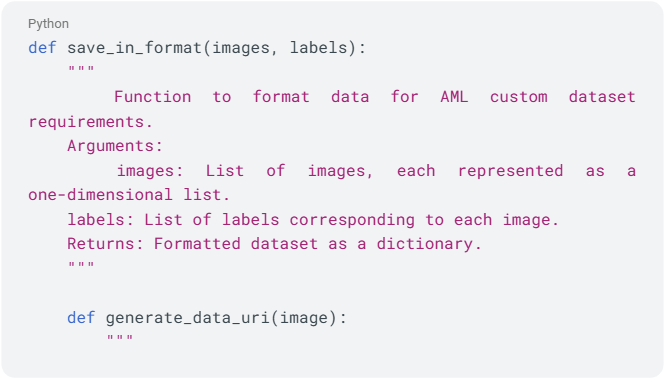
The following Python function saves data in the required format:
Key Points in Custom Dataset Preparation
- Dataset Name: Always set "datasetName": "training2-set-models" for compatibility.
- Image Representation: Each image must be a one-dimensional list of pixel values.
- Thumbnails: The generate_data_uri function converts images into Base64-encoded PNG thumbnails.
- Labels: Labels must be numeric.
- Instance Count: The example limits the dataset to 100 instances for demonstration, but you can adjust this as needed.
Next steps
Custom datasets unlock the potential to tailor machine learning models to specific requirements.
By leveraging the AML Dashboard’s intuitive interface and the provided Python script, you can easily prepare and integrate custom datasets.
In the next tutorial, we will guide you through training your AML model using AML-Dashboard.
By Denisa Alexandru from eProsima
MORE INFORMATION ABOUT ALMA:
For any questions please contact










 This project has received funding from the European Union’s Horizon 2020 research and innovation programme under grant agreement No 952091.