
The AML Dashboard is a web-based tool that enables users to interact seamlessly with the AML framework. Designed for developers looking to implement and test their own AML models, it provides an intuitive interface and advanced tools for model evaluation, fine-tuning, and validation across various scenarios. With this dashboard, users can monitor model performance, make real-time adjustments, and optimize deployment in production environments.
This tutorial will guide you through the process of integrating your custom model into the AML Dashboard for training, inference, and batch prediction.
Prerequisites
Before proceeding, ensure you have the following:
- AML-Dashboard correctly installed.
- Familiarity with Python and JavaScript.
- Access to the AML-Toolkit documentation, particularly the tutorial: Parallelize AML training with AML-IP.
Step 1: Implement Training Functions
Develop your training functions using the AML-Toolkit documentation as a reference. You can also leverage existing functions in:
- backend/AML_binary_classifier.py
- backend/load_and_preprocess_datasets.py
- backend/process_aml_model_results.py
These files contain useful functions for processing training results and utilizing the trained model for inference.
Step 2: Integrate Your Model into the AML-Dashboard
Backend Modifications
-
Add Your Training Functions: Place your file containing training and post-processing functions inside the backend directory of the AML-Dashboard.
-
Modify computing.py
In computing.py, import your training function and integrate it within the ComputingNode class by modifying the process_job method:
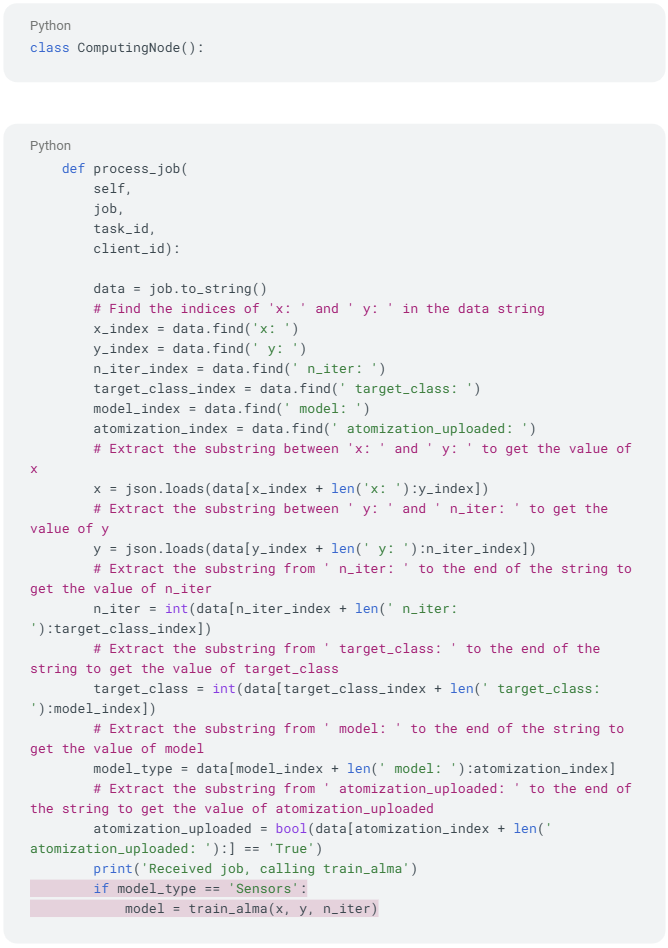
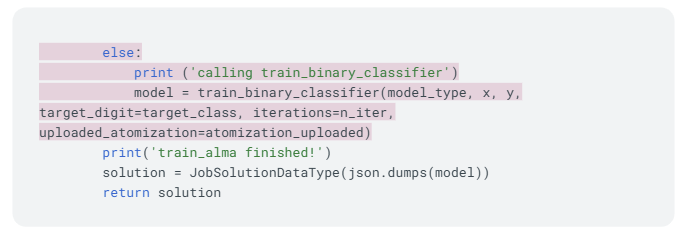
Modify this section to call your custom model instead of the predefined ones. If your model is independent of the dataset, you can remove the if conditions.
Frontend Modifications
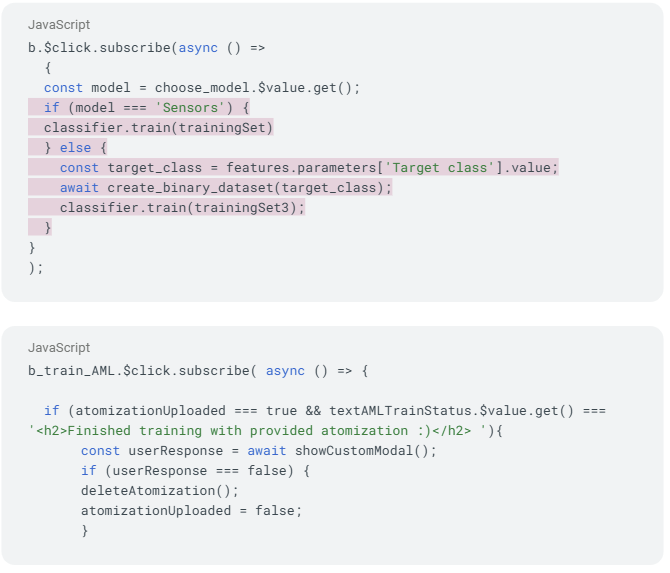
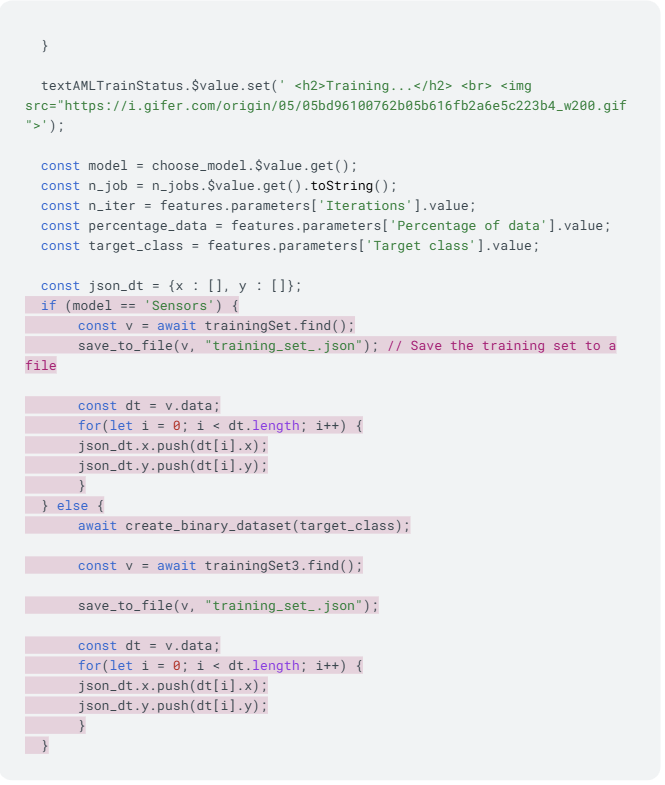
3. Update frontend/aml_dashboard/src/index.js
Modify the training section to fit your model. If your model doesn’t rely on the dataset, remove the if clause.
Step 3: Implement Inference Functions
Backend Modifications
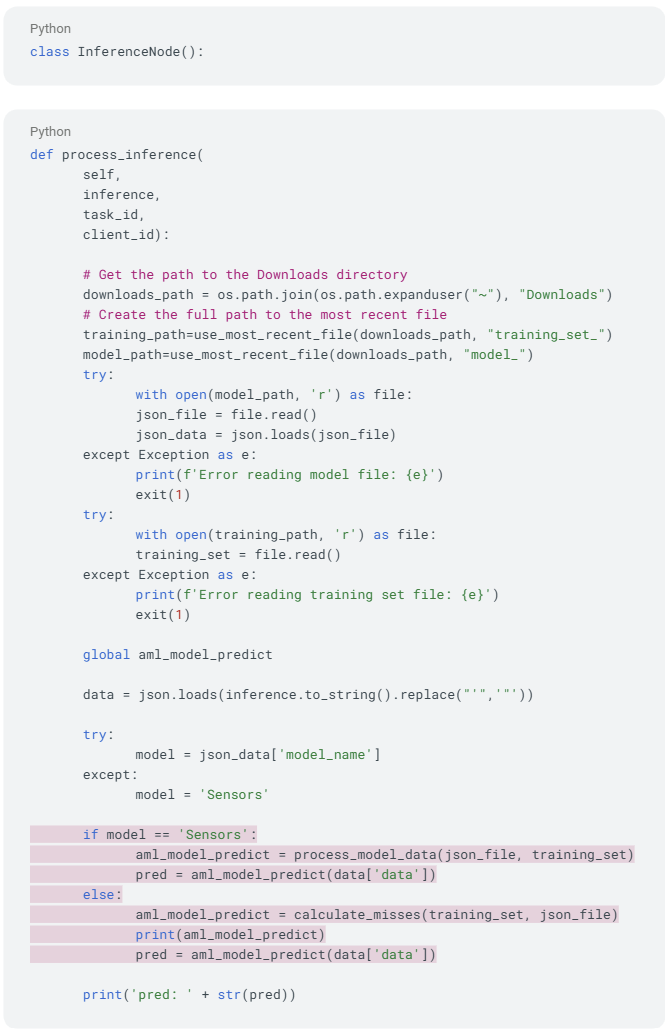
4. Modify inference.py
Import your inference functions and integrate them into the InferenceNode class.
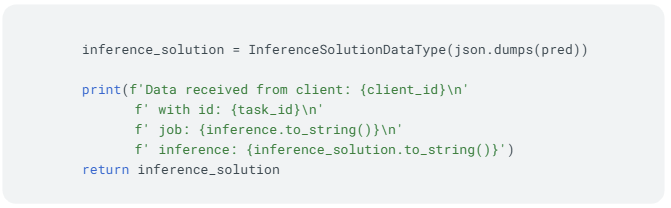
Modify the process_inference function to use your model. If your model does not depend on a specific dataset, remove the if conditions.
Frontend Modifications
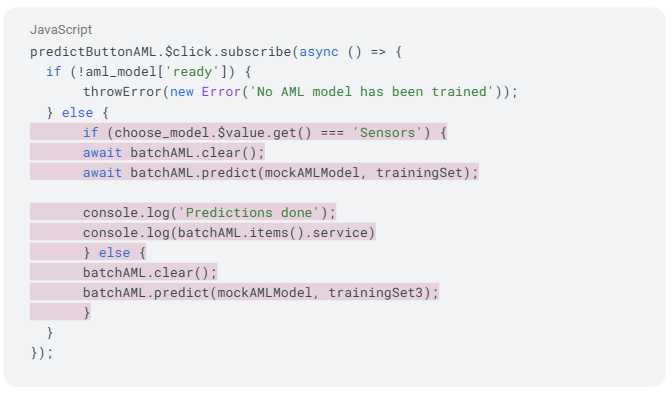
5. Update the Batch Prediction Section
Modify frontend/aml_dashboard/src/index.js to streamline batch inference. If the model is not dependent on the dataset, you can freely remove the if conditions.
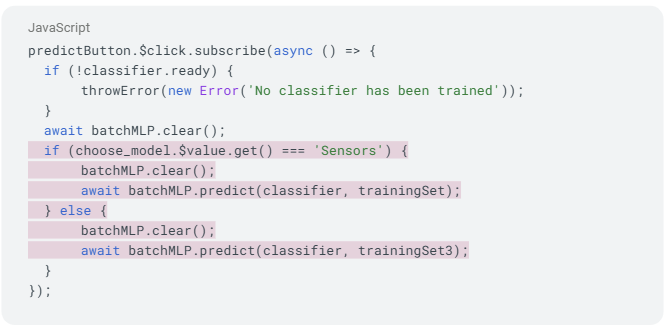
Similarly, update AML model prediction:
Next steps
By following these steps, you have successfully integrated your custom model into the AML-Dashboard for training, inference, and batch prediction. Adjust the code as necessary to fit your model’s specific requirements. Happy coding!
In the next tutorial, we will guide you through creating a custom dataset for training your AML model.
MORE INFORMATION ABOUT ALMA:
For any questions please contact










 This project has received funding from the European Union’s Horizon 2020 research and innovation programme under grant agreement No 952091.